
Download Play Tunes – music streaming, radio streaming, offline music, ad-free music, Android app, seamless music, smart search, synchronized lyrics, audio normalization, tempo control, pitch control, dynamic themes, Android Auto, Discord Rich Presence
Overview
Play Tunes is a multimedia application designed for Android devices, focusing on music and radio streaming. The software aims to deliver a seamless listening experience by enabling uninterrupted playback, even when the screen is off or while using other applications. This makes it ideal for users who value continuous audio access during multitasking, commuting, or daily routines. The app supports account login, allowing users to access their personal music libraries across devices, and includes an offline mode for downloading tracks, ensuring music availability without an internet connection.
Target users include casual listeners, music enthusiasts, and individuals seeking an ad-free alternative to mainstream streaming platforms. The inclusion of smart search capabilities allows for quick discovery of songs, albums, and playlists, improving navigation efficiency. Features like synchronized lyrics and built-in lyric translation enhance engagement, particularly for users exploring international music. Support for Android Auto and Discord Rich Presence indicates a focus on integration with broader digital ecosystems, appealing to users who value connectivity across platforms.
The developer, Play Tunes – Play Tube, has positioned the app as a lightweight yet feature-rich solution for mobile music consumption. While specific background details about the developer are not provided, the app’s functionality suggests a focus on user-centric design and performance optimization.
Key Features & Capabilities
- Ad-Free Music Streaming – Eliminates interruptions from advertisements, providing a continuous playback experience across all usage scenarios.
- Offline Music Mode – Allows users to download tracks for playback without internet access, ideal for travel or low-connectivity environments.
- Smart Search Functionality – Enables fast and accurate discovery of songs, albums, and playlists using intuitive search input.
- Synchronized Lyrics – Displays real-time lyrics that match the song’s timing, enhancing the listening experience and engagement.
- Lyric Translation Tool – Offers instant translation of lyrics into the user’s preferred language, supporting cross-cultural music appreciation.
- Silence Skipping – Automatically detects and skips silent intervals in tracks, improving listening flow and reducing disruptions.
- Audio Normalization – Ensures consistent volume levels across different tracks and albums, preventing sudden volume changes.
- Tempo and Pitch Control – Allows users to adjust playback speed and pitch independently, useful for learning songs or personalizing listening preferences.
- Dynamic Themes – Offers customizable visual themes that adapt to user preferences or playback context.
- Android Auto Integration – Enables voice and touch control of music playback while driving, improving safety and convenience.
- Discord Rich Presence – Displays current playback status in Discord, fostering social sharing and real-time engagement with friends.
User Interface, Workflow & Performance
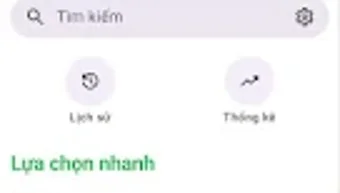
The user interface of Play Tunes appears to prioritize simplicity and accessibility, with a layout designed for efficient navigation through music libraries, playlists, and streaming content. Core functions such as playback controls, search, and settings are likely positioned for quick access, supporting a smooth user workflow. The app’s design emphasizes usability, particularly for users who frequently switch between tasks or use the device in motion.
Performance details were not specified by the developer. However, the app’s reported size of 24.5 MB suggests a lightweight footprint, which may contribute to efficient memory usage and fast launch times. The developer did not provide information on CPU or RAM consumption, so general assumptions about resource behavior cannot be made. Stability and responsiveness are expected to align with standard Android application standards, particularly given the app’s focus on background playback and multitasking.
Users can expect consistent performance during streaming and offline playback, though actual behavior may vary based on device hardware and network conditions. The app’s ability to function seamlessly in the background indicates optimization for Android’s task management system.
Compatibility & System Requirements
Play Tunes is designed for Android devices, with a current version of 2.1.1. The application has a file size of 24.5 MB, indicating a compact installation footprint. Compatibility with specific Android versions was not detailed by the developer. As such, users should verify device compatibility through the Google Play Store, as minimum OS requirements may vary.
Exact system requirements were not listed. This includes details on RAM, processor architecture, or storage space beyond the base installation size. The developer did not specify whether the app supports older Android versions or requires a recent OS release. Users are advised to consult official sources for compatibility confirmation.
Installation is straightforward, with the app available for free download from the Google Play Store. No additional dependencies or third-party components were mentioned.
Pros and Cons
Pros
- Ad-free music and radio streaming experience
- Supports offline music downloads for unlimited access
- Smart search for quick track and playlist discovery
- Real-time synchronized lyrics with translation support
- Audio normalization ensures consistent volume levels
- Tempo and pitch control for personalized playback
- Dynamic themes for customizable interface appearance
- Integration with Android Auto and Discord Rich Presence
Cons
- Exact system requirements were not provided
- Performance data (CPU/RAM usage) not disclosed
- Compatibility with older Android versions unclear
- Developer background information not available
- Platform availability limited to Android only
FAQ Section
Is Play Tunes available for devices other than Android?
Based on the provided information, Play Tunes is currently designed for Android devices. There is no indication of availability on other platforms such as iOS, Windows, or Mac.
Is the app safe to download and use?
Play Tunes is available for free download from the Google Play Store, which provides a layer of security through app review and verification. However, users should always ensure they are downloading from official sources to avoid potential risks.
Does Play Tunes require a paid subscription?
No, the app is available at no cost. There is no mention of in-app purchases or subscription models in the provided details.
Can I use Play Tunes without an internet connection?
Yes, the app includes an offline mode that allows users to download tracks for playback without an internet connection, ensuring access to music anytime.
How often are updates released for Play Tunes?
The current version is 2.1.1, released on March 15, 2024. While update frequency is not specified, users can expect regular improvements and bug fixes through official channels.
Final Thoughts
Play Tunes delivers a compelling package for Android users seeking a reliable, ad-free music and radio streaming experience. Its combination of offline access, smart search, synchronized lyrics, and integration with Android Auto and Discord Rich Presence sets it apart from basic music players. The app’s lightweight design and focus on uninterrupted playback make it suitable for both casual listeners and dedicated music fans.
While some technical details such as system requirements and performance metrics are not disclosed, the app’s functionality aligns with modern expectations for mobile music applications. Users who prioritize seamless audio access, customization, and cross-platform integration will find significant value in Play Tunes.
For those looking for a free, feature-rich Android music solution, Play Tunes stands out as a strong contender. Download Play Tunes now.







